
igor_kavinski
FPS Regular
- Joined
- Aug 15, 2025
- Messages
- 1,166
- Reaction score
- 717
I'm on Windows 8.1 (Core i7-3720QM Thinkpad 32GB RAM) and this hardware runs the OS pretty well. It's basically my internet browsing machine.
One great reason for staying on Win8.1 is no pesky updates forcing a restart.
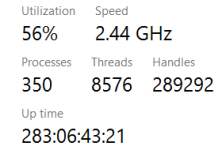
HOWEVER, since Firefox is my preferred browser, it leaks RAM regularly and I have to keep killing tabs whenever total RAM consumption gets over 90%. For instance,

Yeah. That's just one tab eating up 4GB! And after I took the screenshot, it briefly went up to 5GB and then to 2GB and then started increasing again. So killed it I did.
I also use Chrome, Brave and Opera (old version) for various other stuff but usually Firefox is where I spend the most time.
So question, any ideas about a suitable Firefox replacement that works fine on Win8.1 without hoarding RAM unnecessarily?
One great reason for staying on Win8.1 is no pesky updates forcing a restart.
HOWEVER, since Firefox is my preferred browser, it leaks RAM regularly and I have to keep killing tabs whenever total RAM consumption gets over 90%. For instance,
Yeah. That's just one tab eating up 4GB! And after I took the screenshot, it briefly went up to 5GB and then to 2GB and then started increasing again. So killed it I did.
I also use Chrome, Brave and Opera (old version) for various other stuff but usually Firefox is where I spend the most time.
So question, any ideas about a suitable Firefox replacement that works fine on Win8.1 without hoarding RAM unnecessarily?